Interactive Cranial Nerve Anatomy
Interactive Cranial Nerve Anatomy
Explore Our Projects
Overview
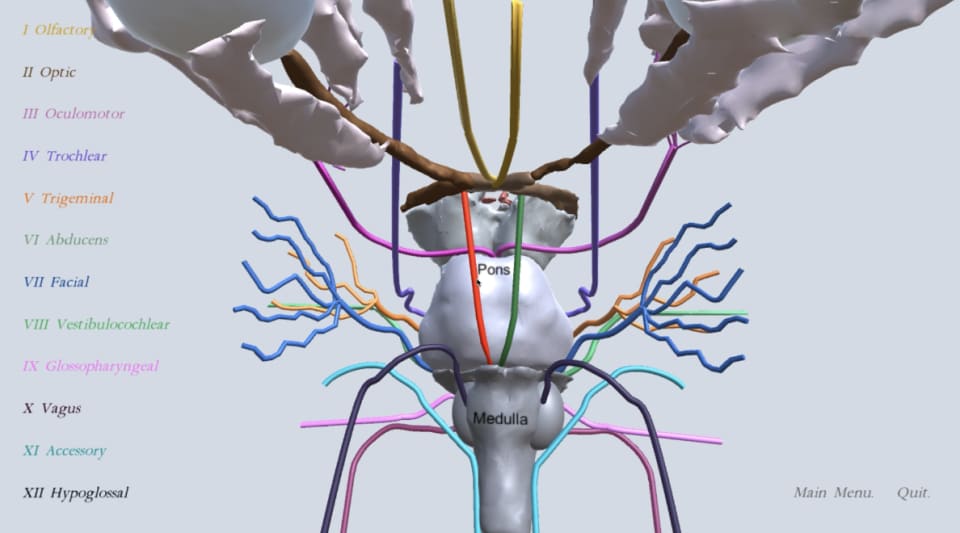
This tool bridges 3D modeling and interactive learning by allowing users to explore cranial nerve anatomy interactively. Built using 3ds Max for modeling and Unity for interactivity, the tool enables users to peel away superficial structures, highlight specific cranial nerves, and view detailed descriptions while spinning and zooming into the model.
Key Stats:
- Features: Superficial structure removal, cranial nerve highlighting, rotatable 3D model
- Technology Used: 3ds Max for high-resolution 3D modeling, Unity for interactivity
- Applications: Medical education, neurological training, and patient communication
Client
Educational
Industry
Healthcare
Audience
Dental Students
Interactive Features
Unveiling Anatomy Step by Step
Users can watch superficial structures like muscles and skin 'fly off' to reveal the underlying cranial nerves and brain stem. Selecting a cranial nerve from the list highlights it in red, making it easier to visualise its course and connections. A description box provides concise, informative text about the selected nerve.
3D Model Interaction
The 3D model is fully rotatable, allowing users to view cranial nerves from various perspectives. Zoom functionality enables detailed exploration of complex structures like the brain stem and nerve pathways.
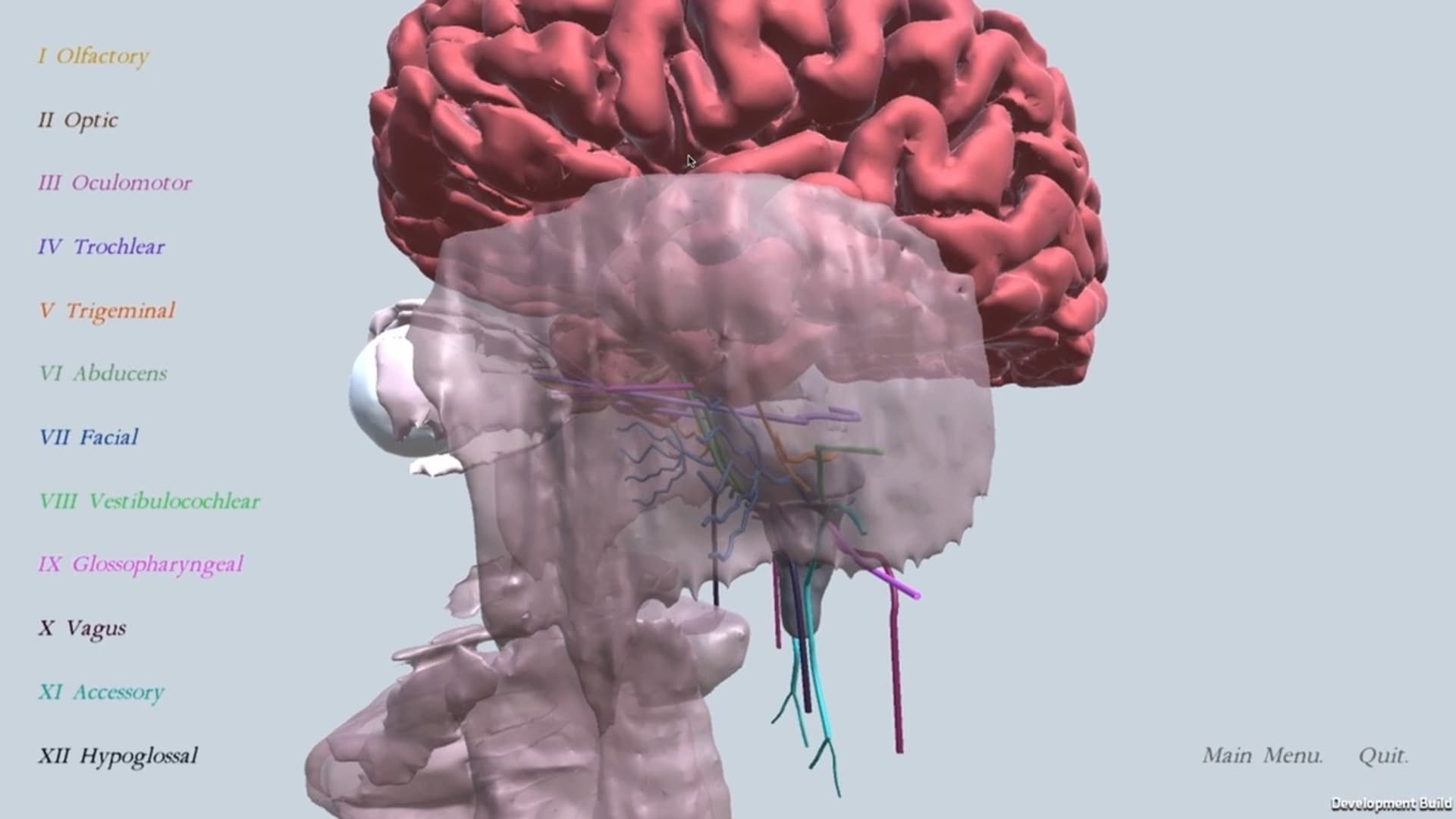
Opening app - skull exploding
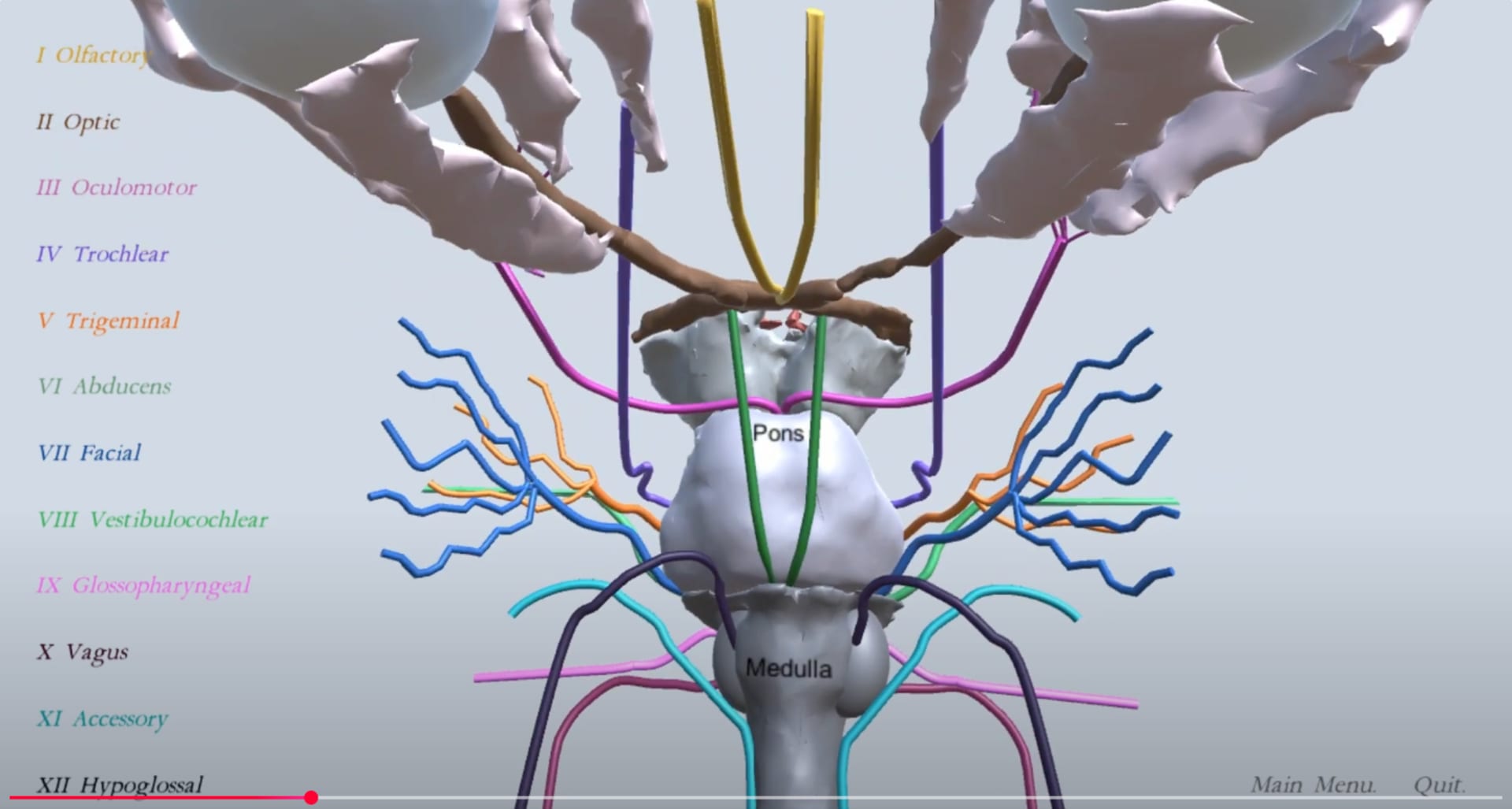
Cranial nerves on display
Challenges and Solutions
Creating a tool that accurately separates superficial structures and highlights cranial nerves required precise anatomical modelling and interactive logic. By leveraging 3ds Max for high-resolution 3D models and Unity for responsive interactivity, we delivered an intuitive and educational experience.
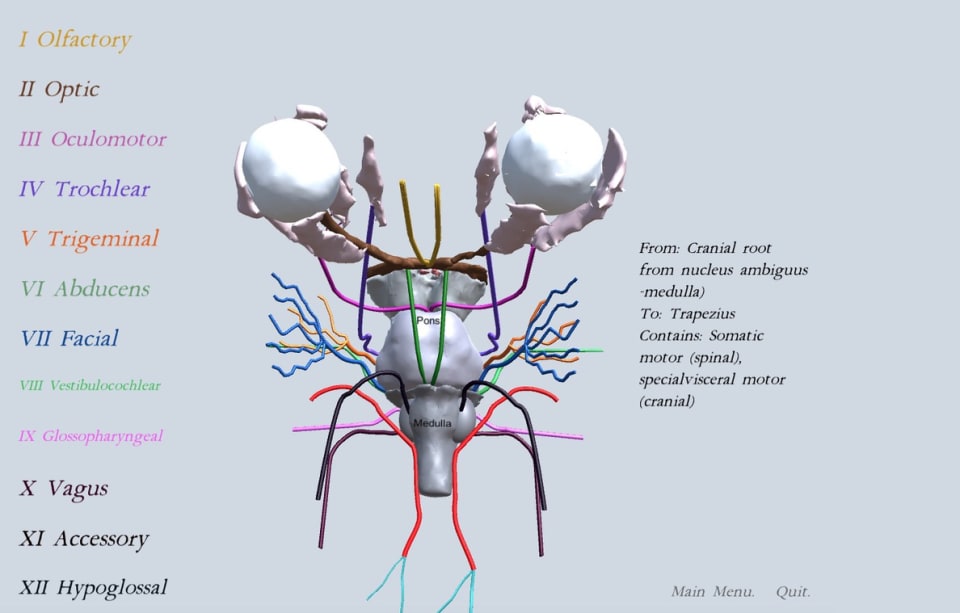
Interactive Demo
Interact with the 3D skull model to reveal cranial nerves. Select a nerve from the list to see it highlighted in red, read a short description, and explore it from any angle.
Applications
Designed for medical education and clinical training, this tool helps users visualize cranial nerve anatomy and understand its relationships to other structures. It’s ideal for anatomy courses, neurology training, and patient education.
Ready to get started?
Let’s build something great together
We’d love to hear about your project. Tell us your goals and we’ll propose a plan.